Part 4 of 13
Write a quote
Price a job from your own rates, by margin or markup, with price breaks.
 Video coming soon
Step by step
Start the quote
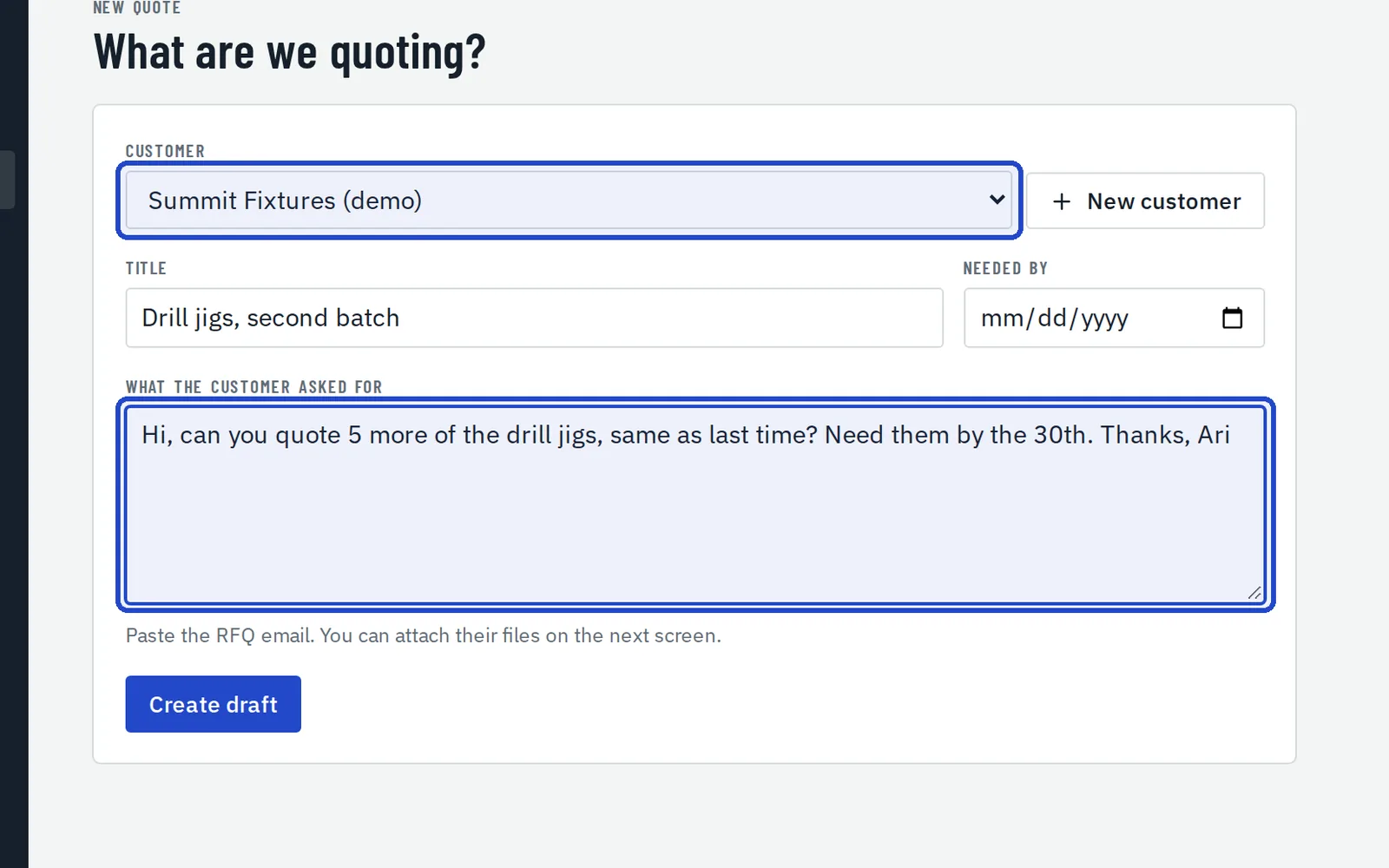
Choose New quote, pick the customer, give it a title and paste in what they asked for. Choose Create draft; you can attach their files on the next screen.
Choose the part and revision
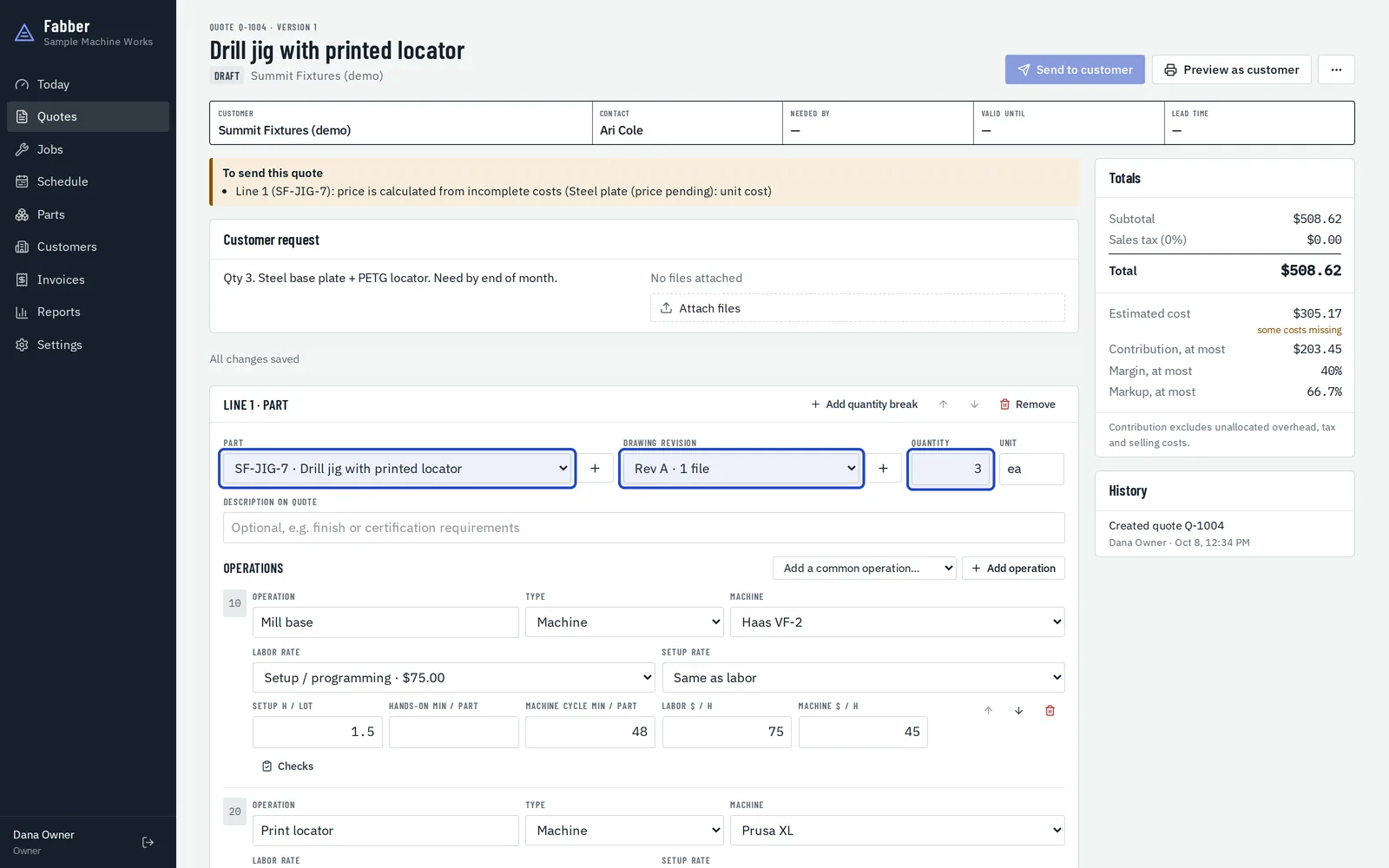
Each line is a part, at an exact drawing revision and quantity. The + buttons add a new part or revision without leaving the quote.
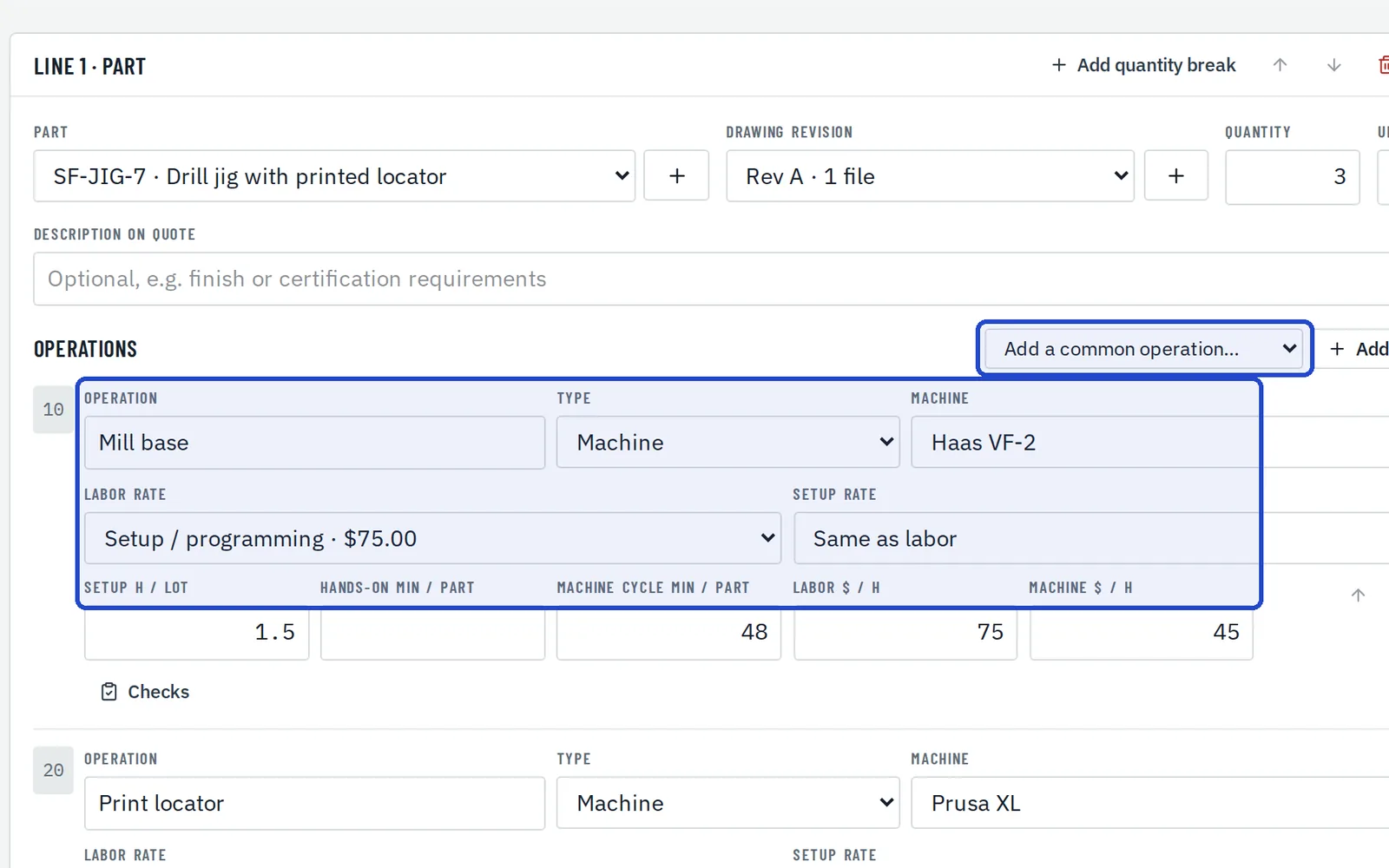
Add the operations
For each operation, set the type, machine, labor rate and setup hours per lot, and the hands-on and machine cycle minutes per part. Add a common operation inserts one you've saved.
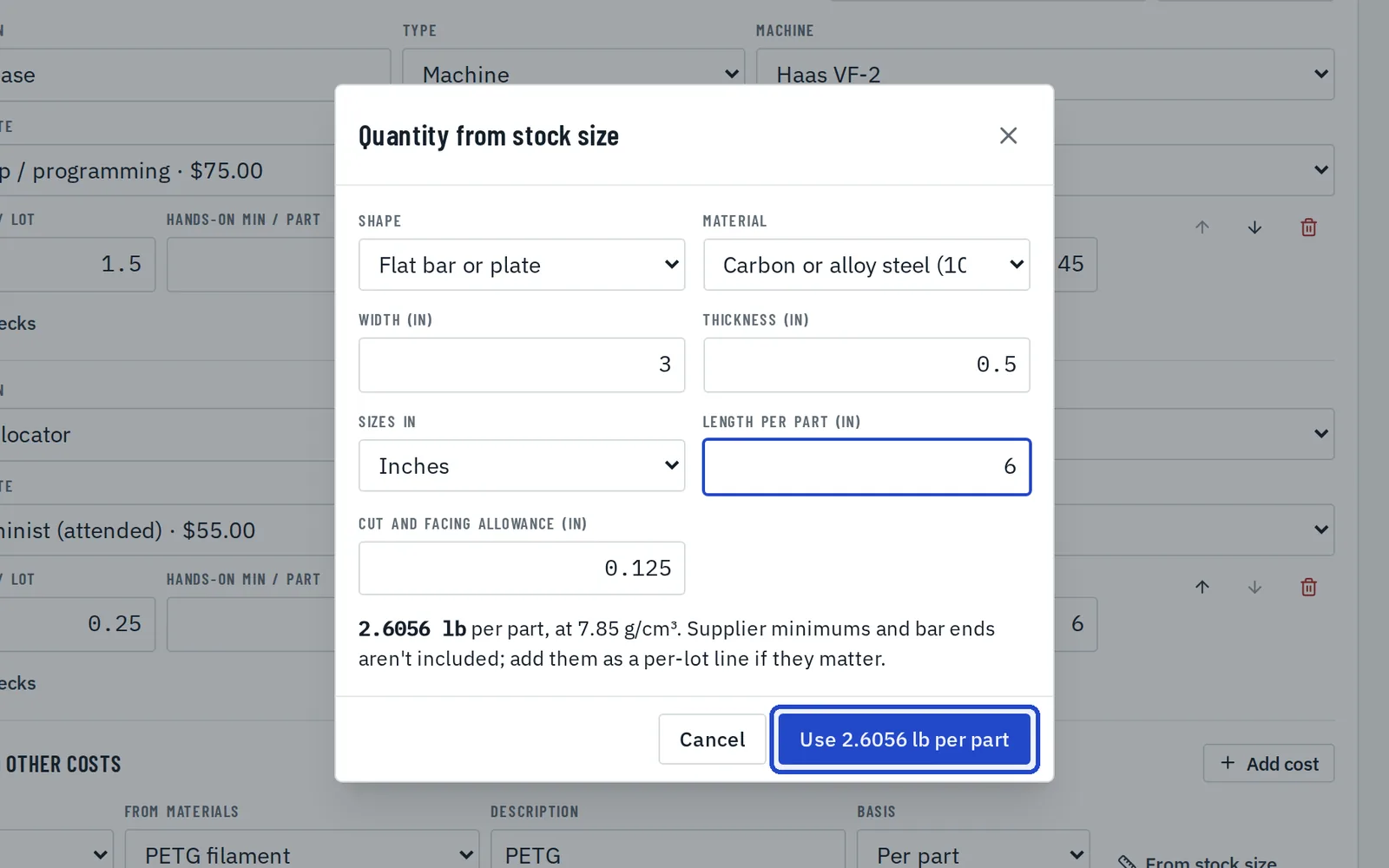
Work out material from a stock size
On a material cost, choose From stock size. Pick the shape and alloy, enter the size, the length per part and the cut allowance, and Fabber works out the weight per part.
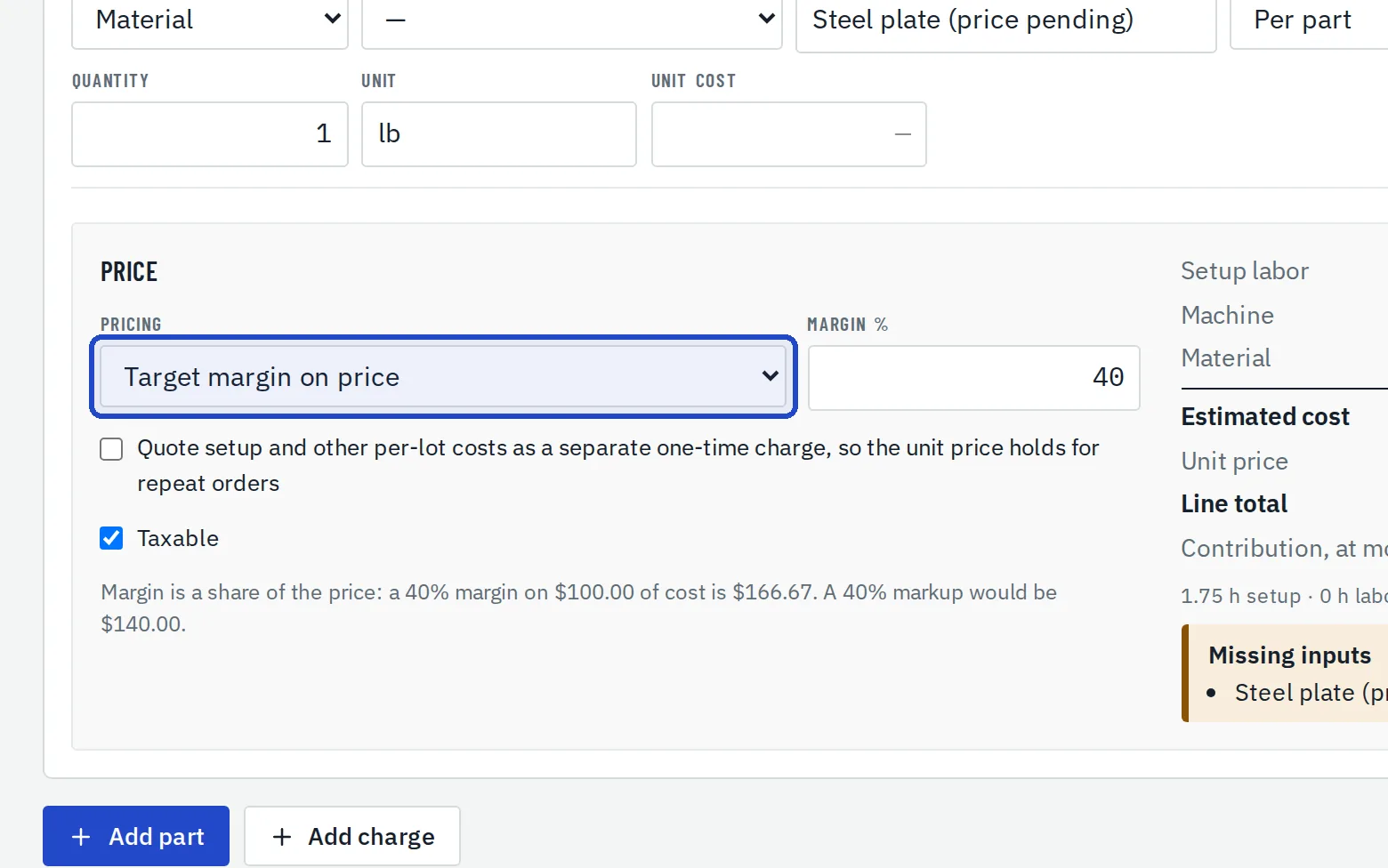
Choose how to price it
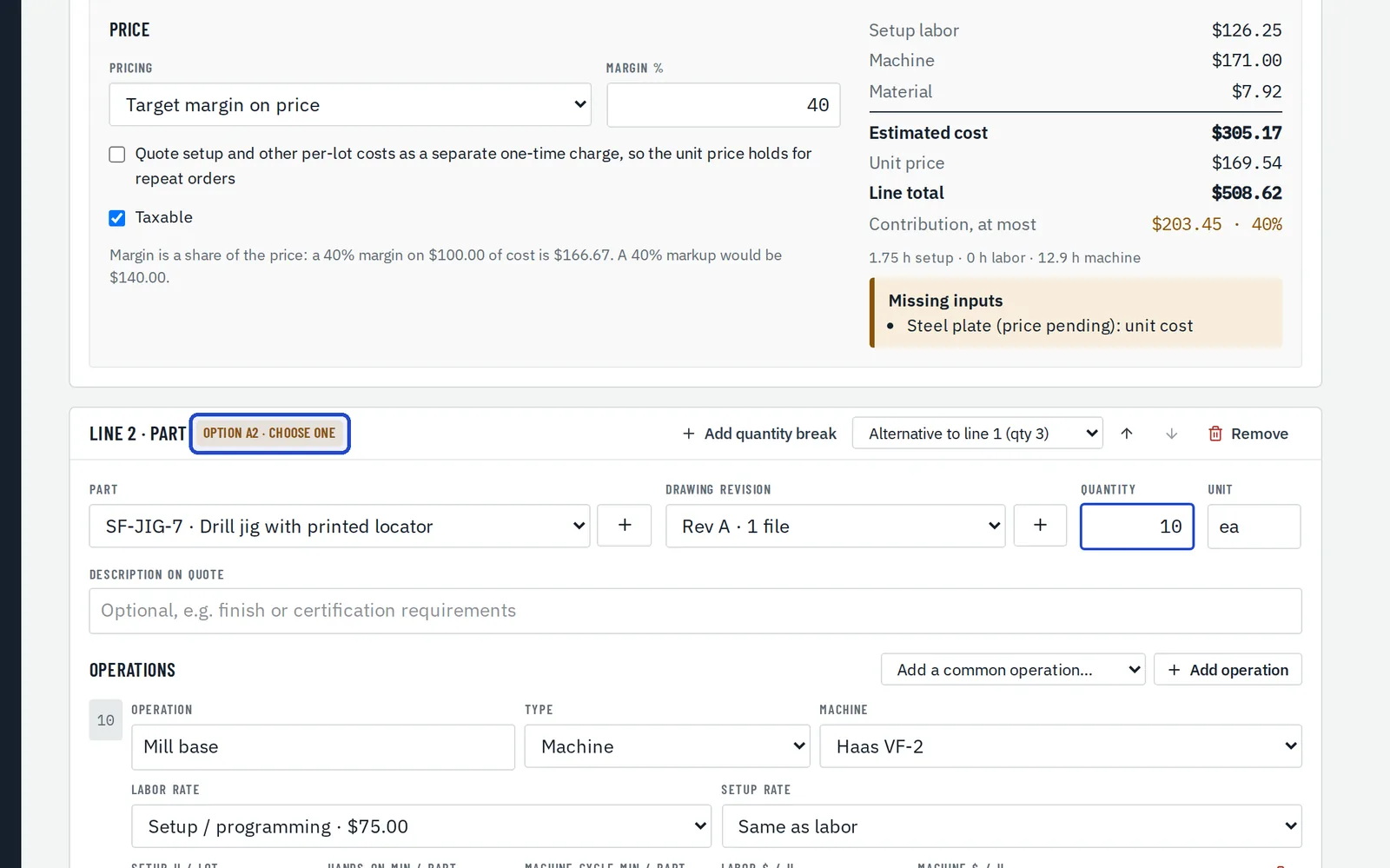
Price each line by target margin, by markup on cost, or enter the price yourself.
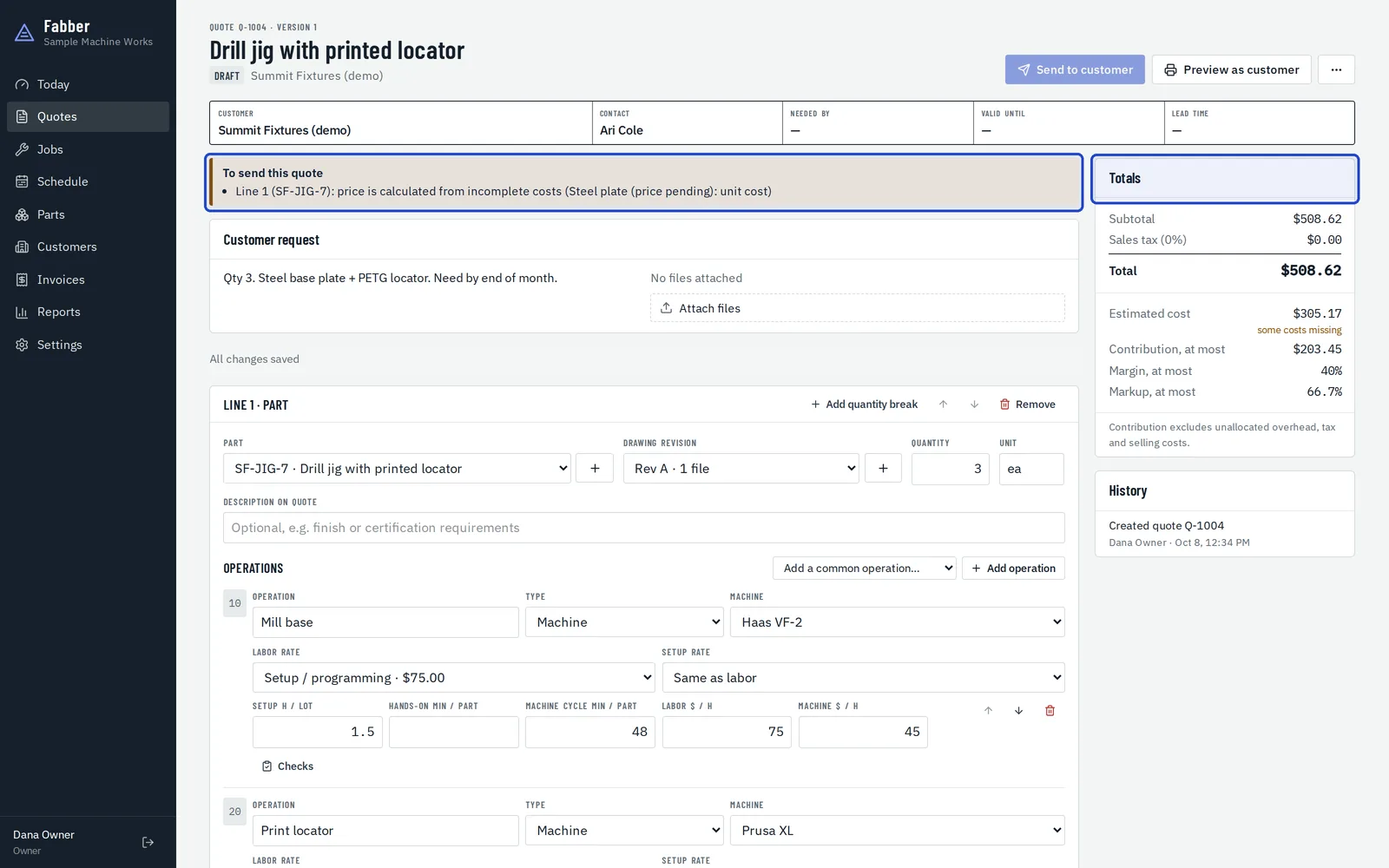
Check the totals
The Totals panel shows margin and markup side by side. A cost that's missing is flagged, never counted as zero, and listed under To send this quote; the quote can't go out until it's filled in.
Offer quantity breaks
Choose Add quantity break to offer the same part at another quantity. The customer chooses one when they approve.