Part 11 of 13
What it really cost
Estimate against actual on every job, and the next quote from the last run.
 Video coming soon
Step by step
Estimate against actual on the job
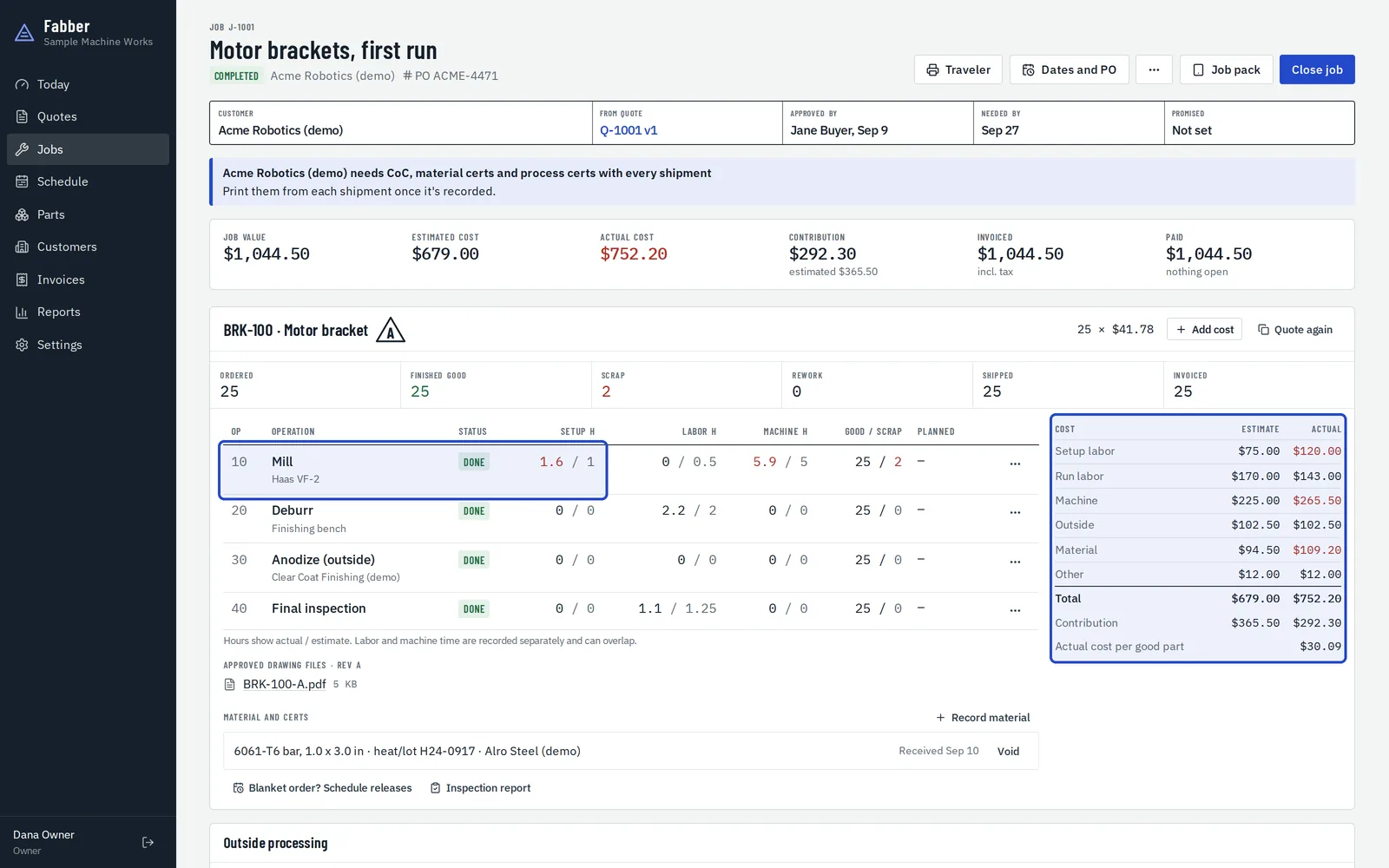
Each operation shows its actual hours against the estimate, and the cost table shows estimate and actual for setup, labor, machine, outside work and material.
The job costs report
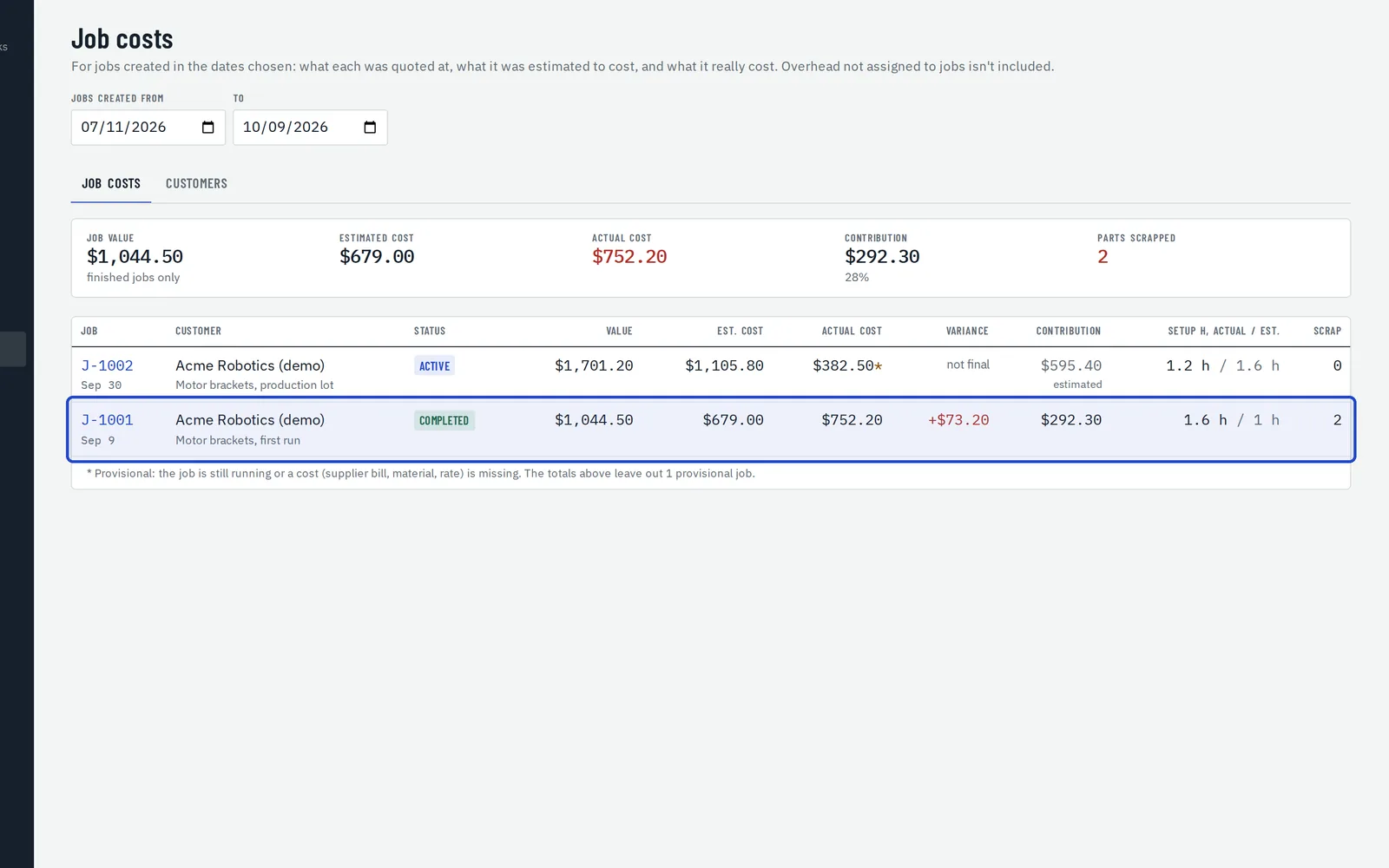
Reports, Job costs lists each job's value, estimated and actual cost, the variance and the contribution. Jobs still running are marked provisional.
The customer scorecard
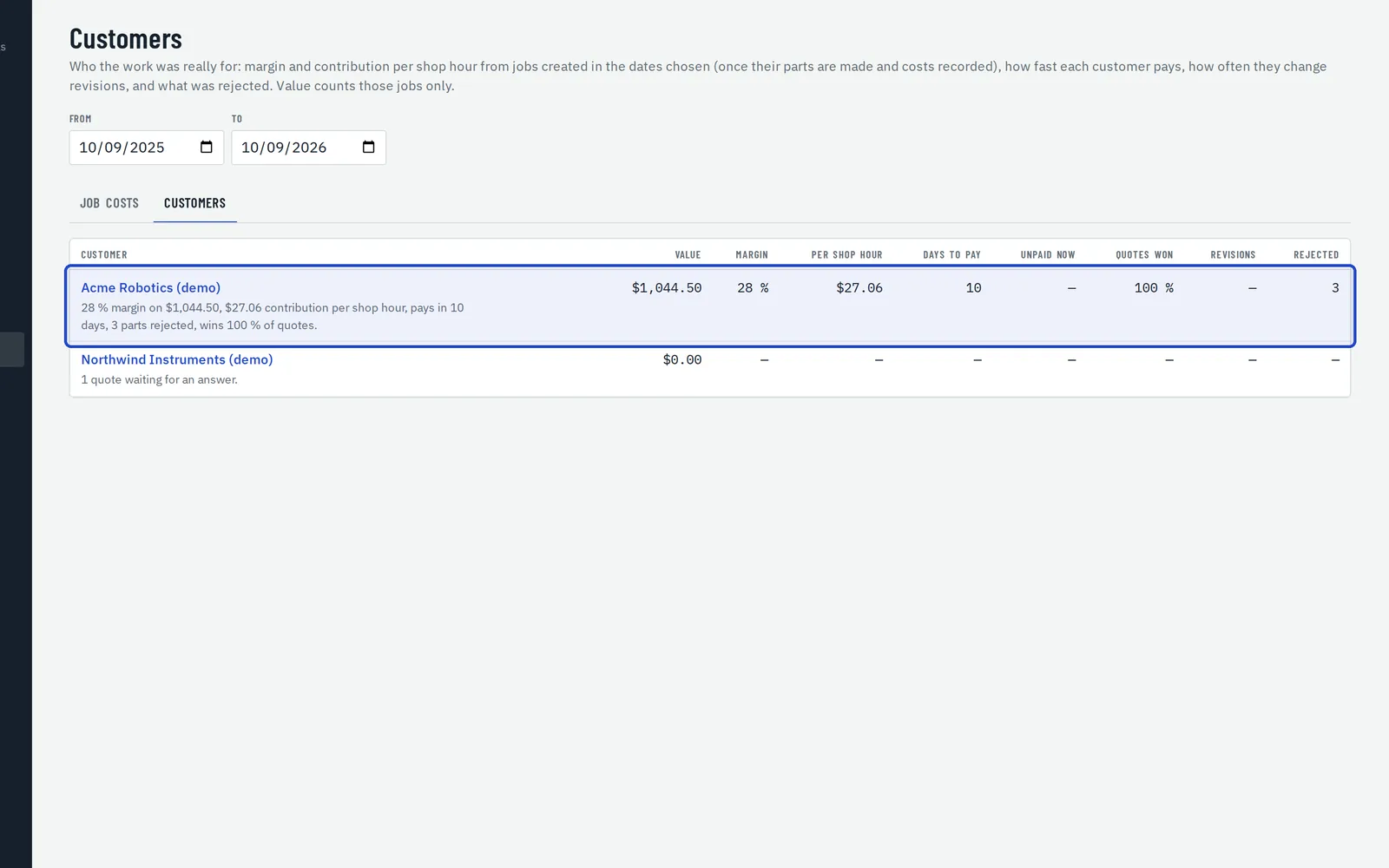
Reports, Customers shows each customer's margin, earnings per shop hour, days to pay, unpaid amount, quotes won and rejected parts.
Quote it again from the actuals
On a part, or a finished job's line, choose Quote again. Fabber makes a draft from the last run's actual hours, at today's rates.
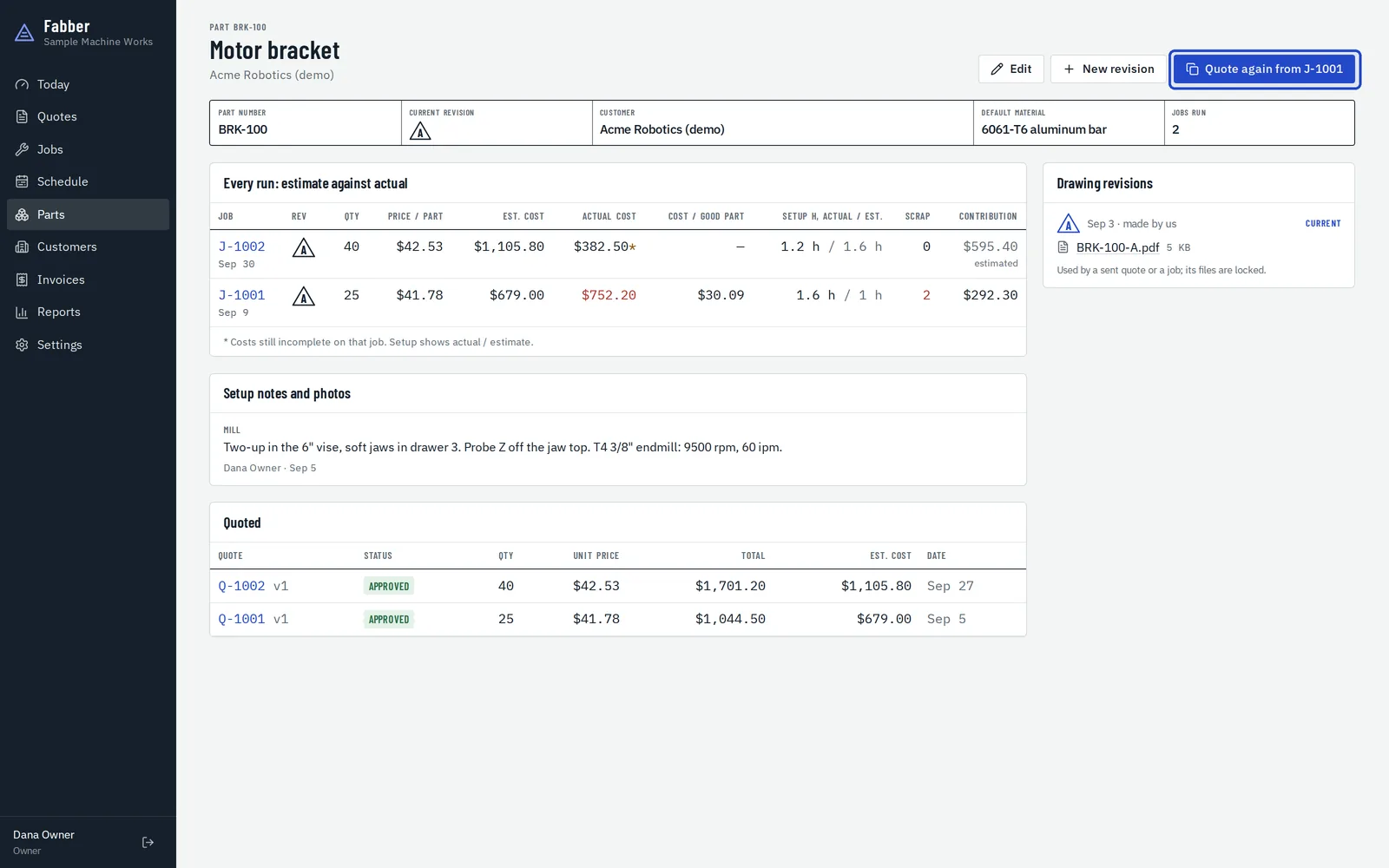
Use an earlier run in any quote
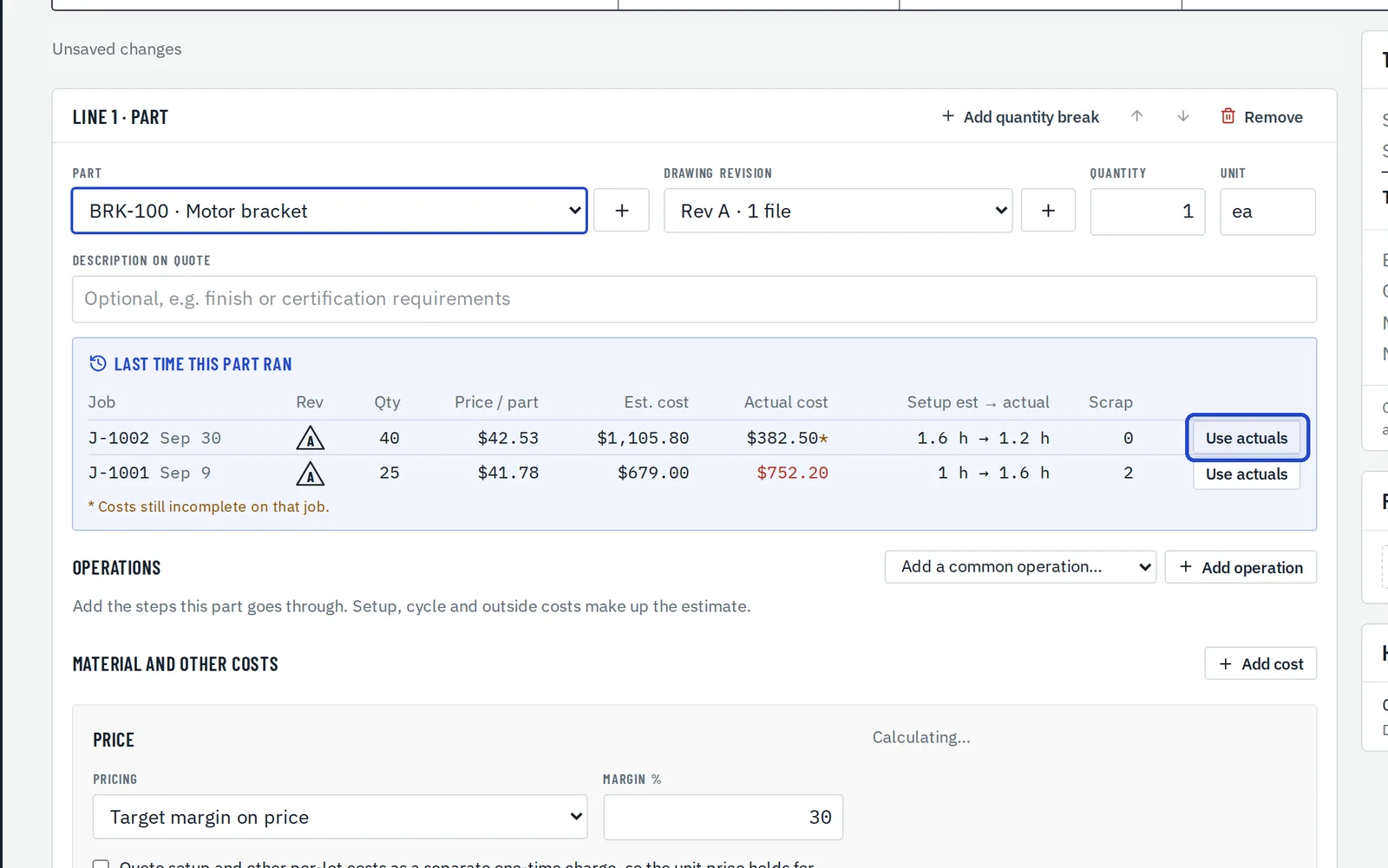
When a quote line's part has run before, Last time this part ran lists those jobs. Choose Use actuals to fill the line from one.