Part 6 of 13
From approval to job
The approved quote becomes the job: its drawing, its operations and its dates.
 Video coming soon
Step by step
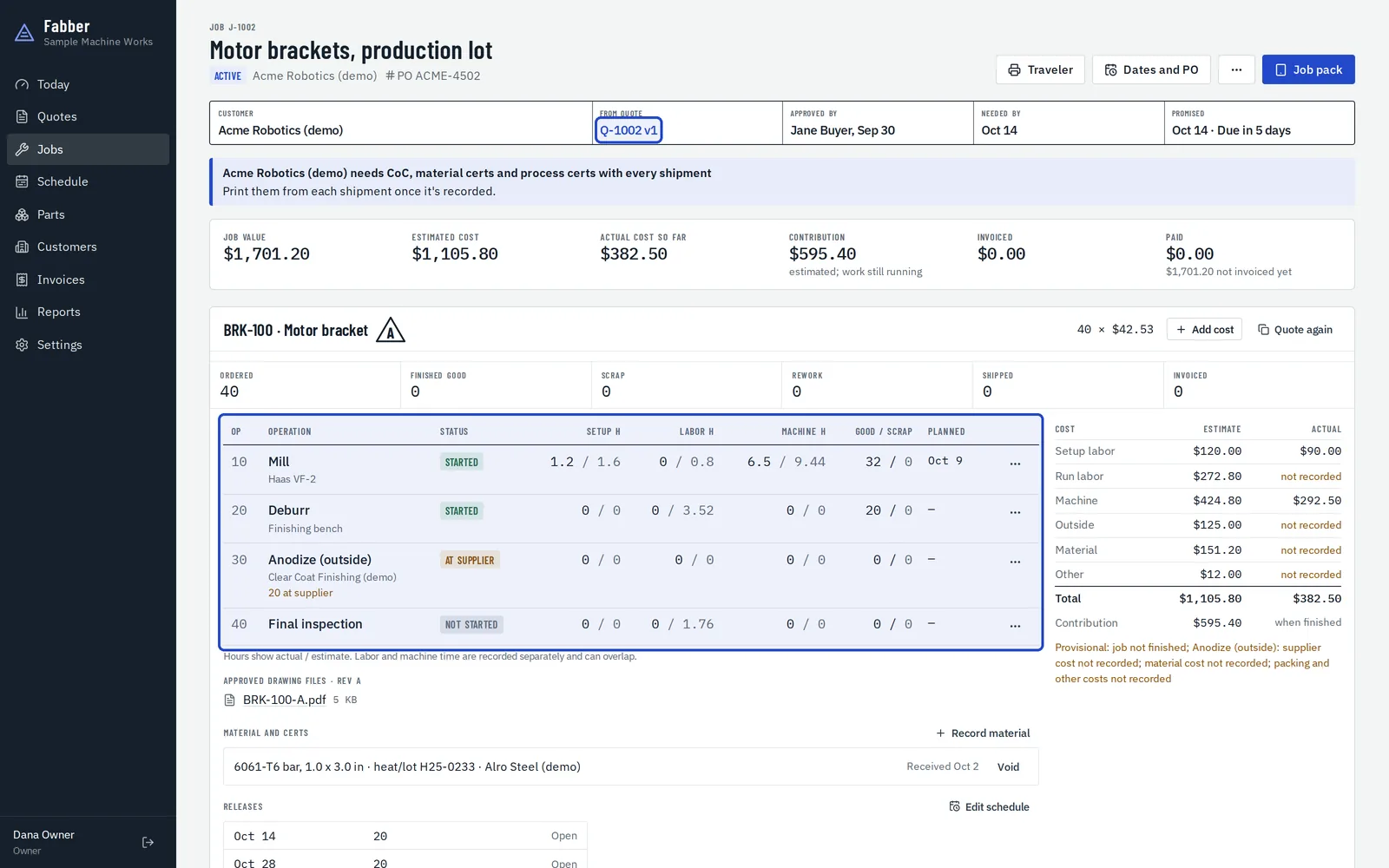
Open the job
An approval creates the job from the quote's lines, operations, drawing revision and PO, with nothing retyped.
Set the promise date
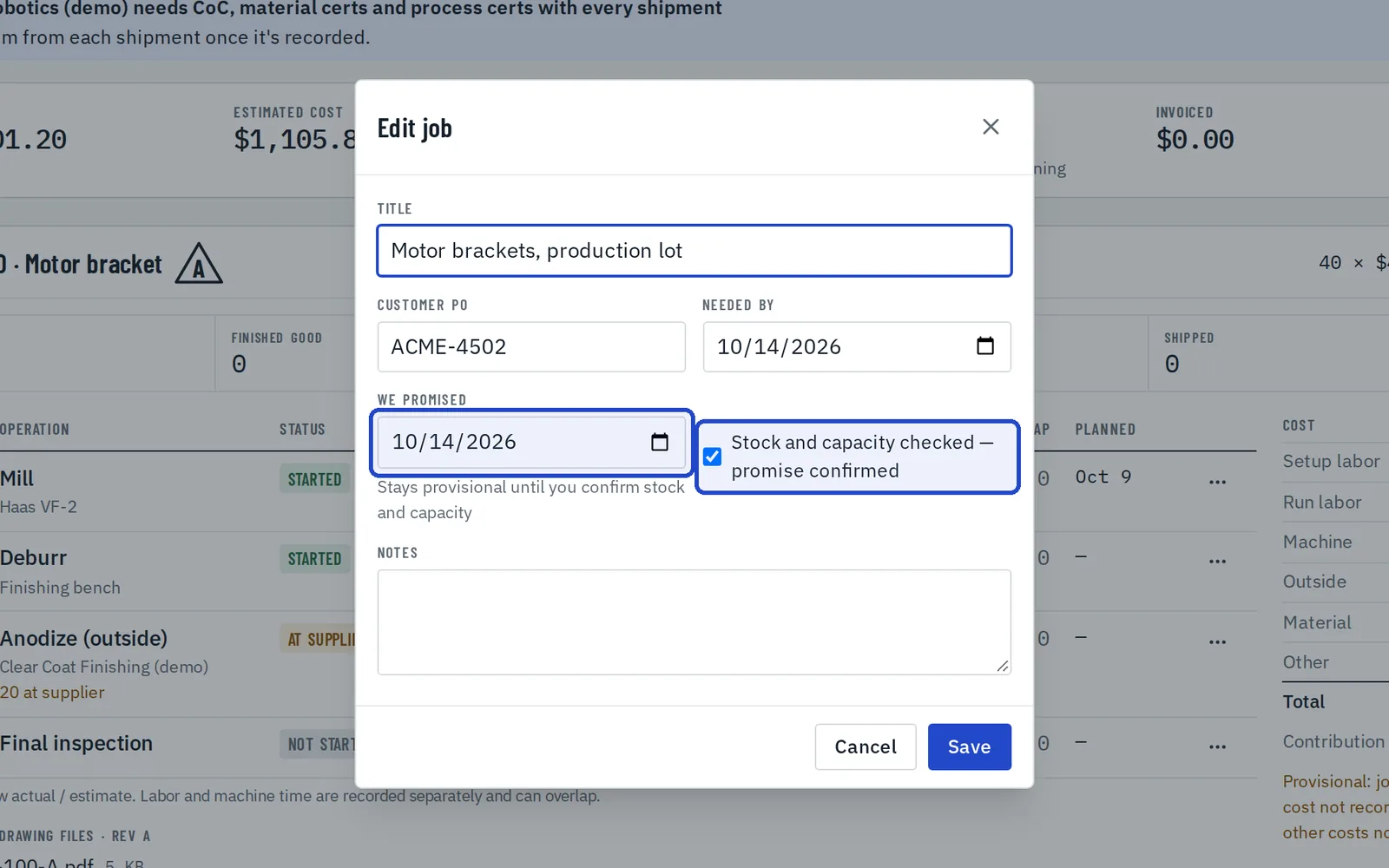
Choose Dates and PO to set the date it's needed and the date you've promised. Tick that stock and capacity are checked once you've confirmed it.
Plan it on the schedule
Drag operations onto a machine and a day. Work that isn't planned yet waits under Not planned this week, and planning never changes the promise date.
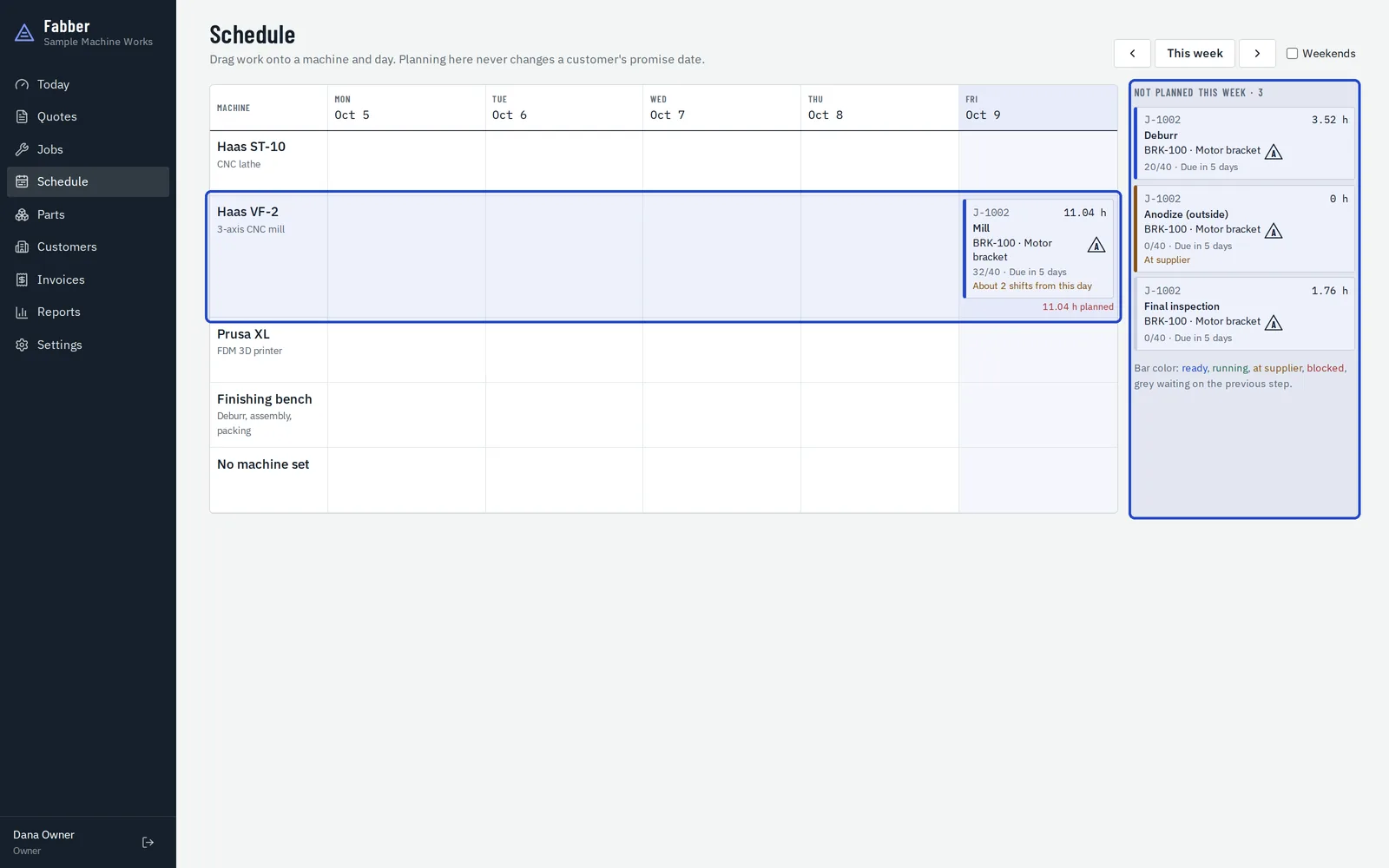
Print a traveler
Choose Traveler for a paper copy: the steps, checks and boxes for counts, with a QR code that opens the job pack.
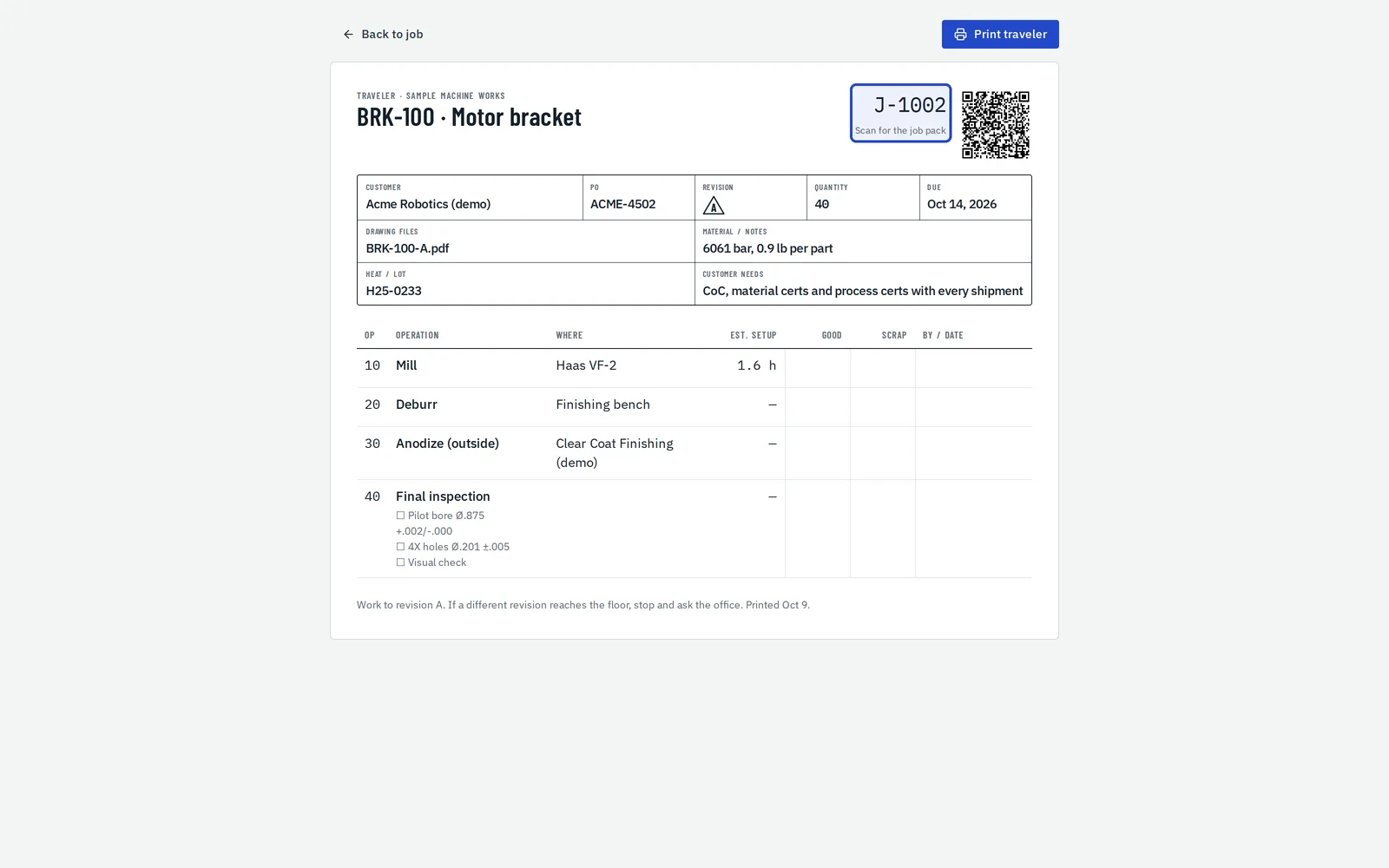
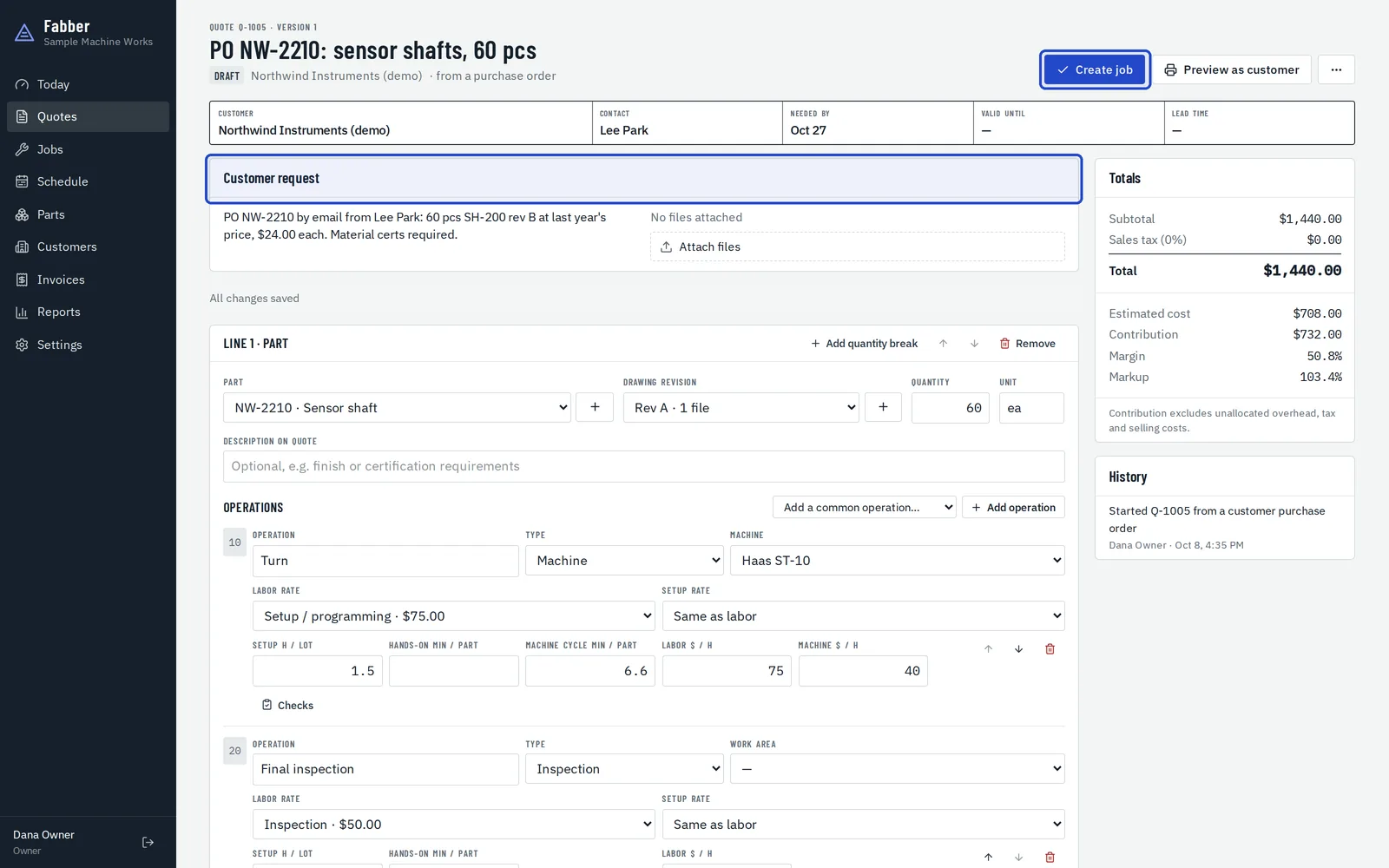
Start a job from a purchase order
When a customer sends a PO without a quote, choose New job from a PO on the Jobs page, add the lines, then choose Create job and enter their PO number.