Part 13 of 13
Your team and your data
Who sees what, and getting all of your data out.
 Video coming soon
Step by step
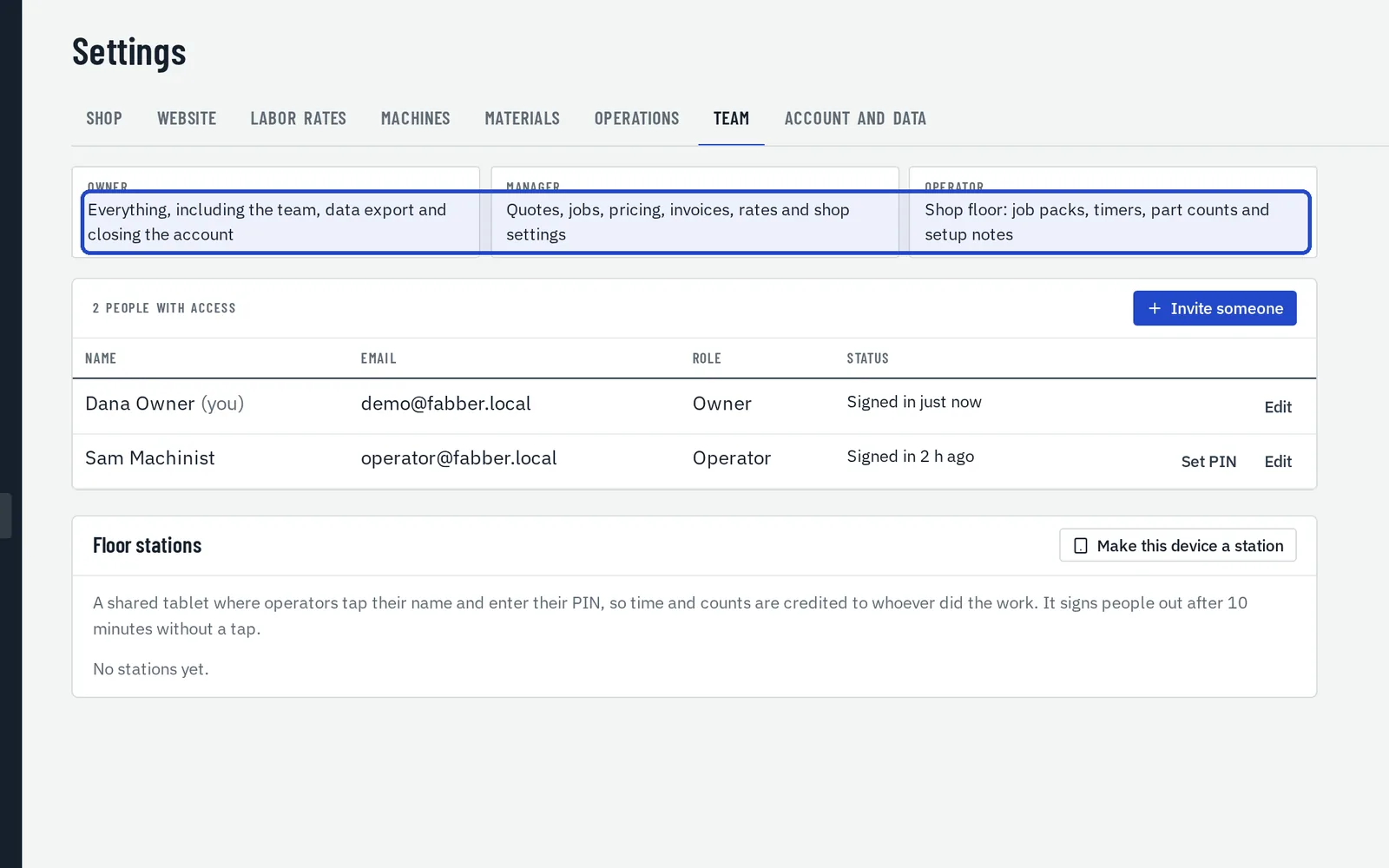
Choose the roles
Owners can do everything, including the team and the data export. Managers handle quotes, jobs, pricing, invoices, rates and shop settings. Operators see the shop floor, never prices.
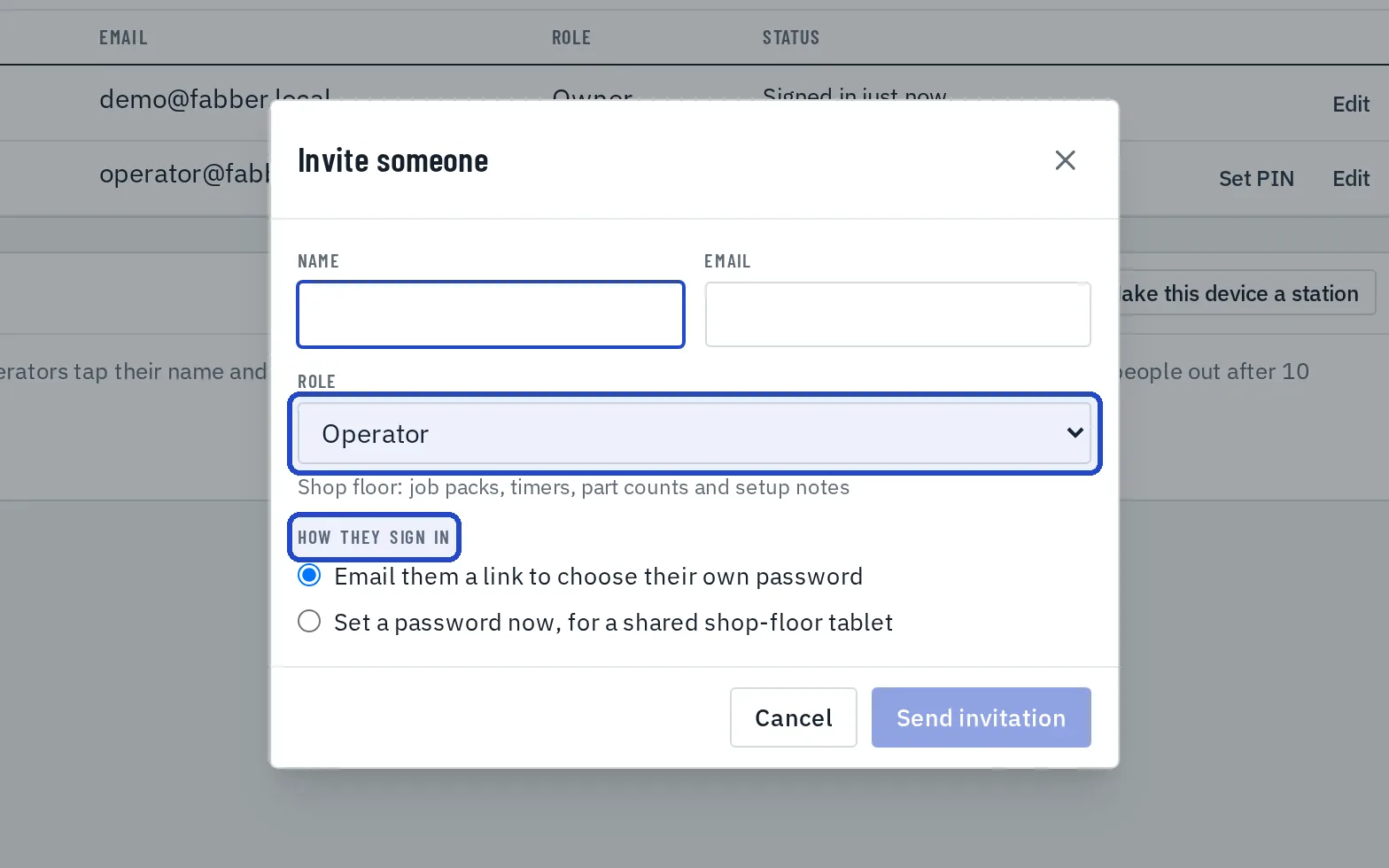
Invite someone
An owner chooses Invite someone in Settings, Team, picks the role, and either emails them a link or sets a password now for a shared shop-floor tablet.
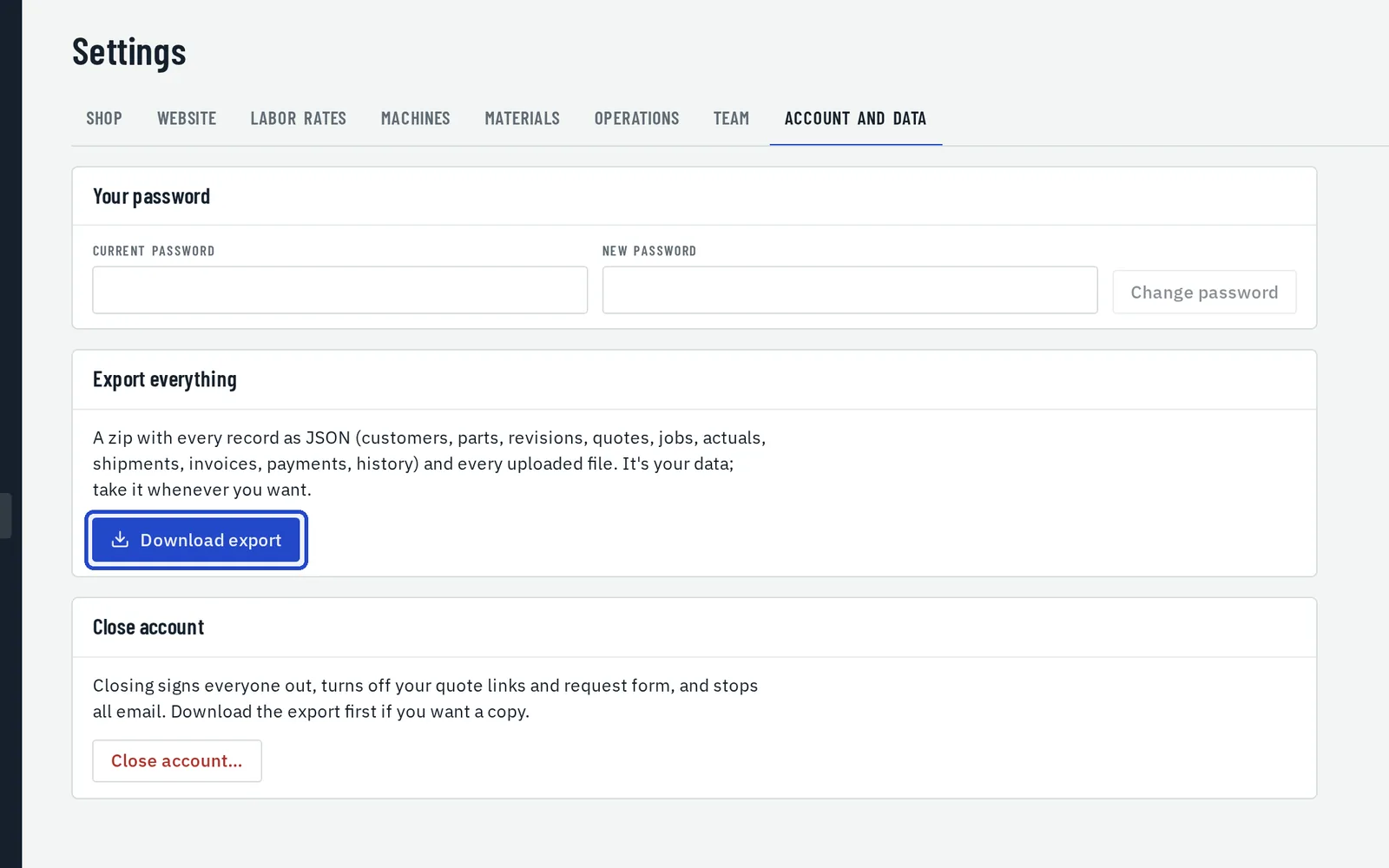
Download your data
In Settings, Account and data, an owner can download every record and every file as a zip, at any time.